
In the age of social media, we are used to applying beauty filters and AI enhancements to our photos. However, when it comes to legal identification like a US passport, the rules are absolute: your photo must represent your true, natural appearance without any form of digital manipulation.
For visual examples of what counts as a prohibited edit, see the digital alterations section of our passport photo examples.
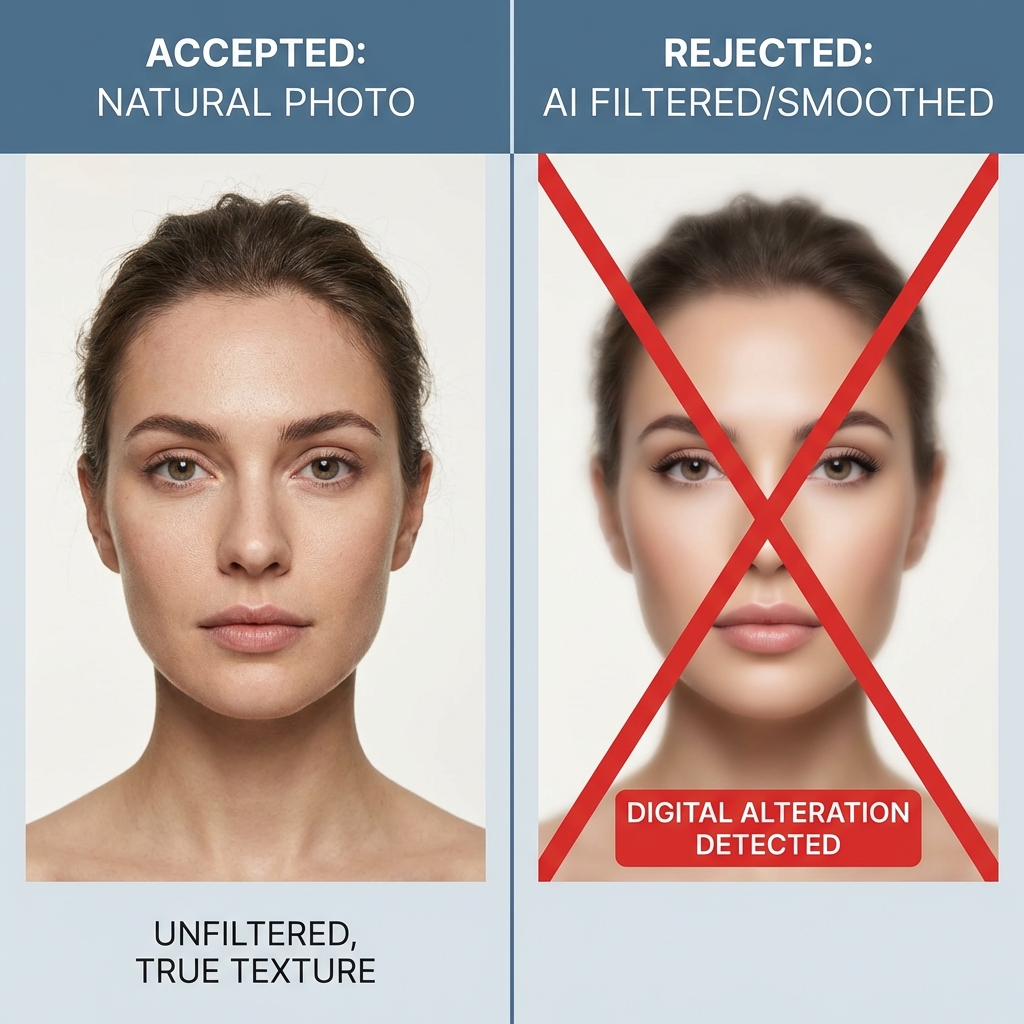
Strict No-Editing Policy
The US Department of State explicitly forbids using computer software, phone apps, filters, or artificial intelligence to alter your photo. This includes both aesthetic improvements and background removals that leave artifacts.
Forbidden Digital Alterations
- AI Face Enhancement: Features like eye enlargement, nose slimming, or jawline sharpening are strictly prohibited.
- Beauty Modes & Skin Smoothing: Excessive磨皮 (smoothing) that removes natural skin texture, moles, or unique marks will cause biometric failure.
- Filter Overlays: Any color filters that change your natural skin tone or create an unrealistic glow.
- Manual Retouching: Removing acne, scars, or birthmarks that are a permanent part of your appearance.
If the government's facial recognition software detects that pixels have been manipulated or that skin texture is unnaturally smooth, your photo will be automatically flagged and rejected.
Natural is Better: What is Accepted?
To pass the audit, your photo should have the 'raw' look of a 100% natural image:
- Visible Skin Texture: Fine lines, pores, and natural imperfections should be visible.
- Natural Lighting: Shadows should be managed by physical lighting, not by digital brightening afterward.
- Original Background: While the background must be white, it should look like a natural material (sheet or wall), not a digitally pasted white void with jagged edges around the hair.
How to Take a Fail-Safe Photo
Always use the original system camera app on your smartphone, not a social media camera like TikTok or Instagram. Double-check that all 'Auto-Enhancement' or 'Natural Portrait' settings are turned OFF before snapping the picture.
Our tool focuses on compliance, not 'beautification.' We ensure your photo meets technical standards while keeping your appearance 100% natural.
Check for Compliance